
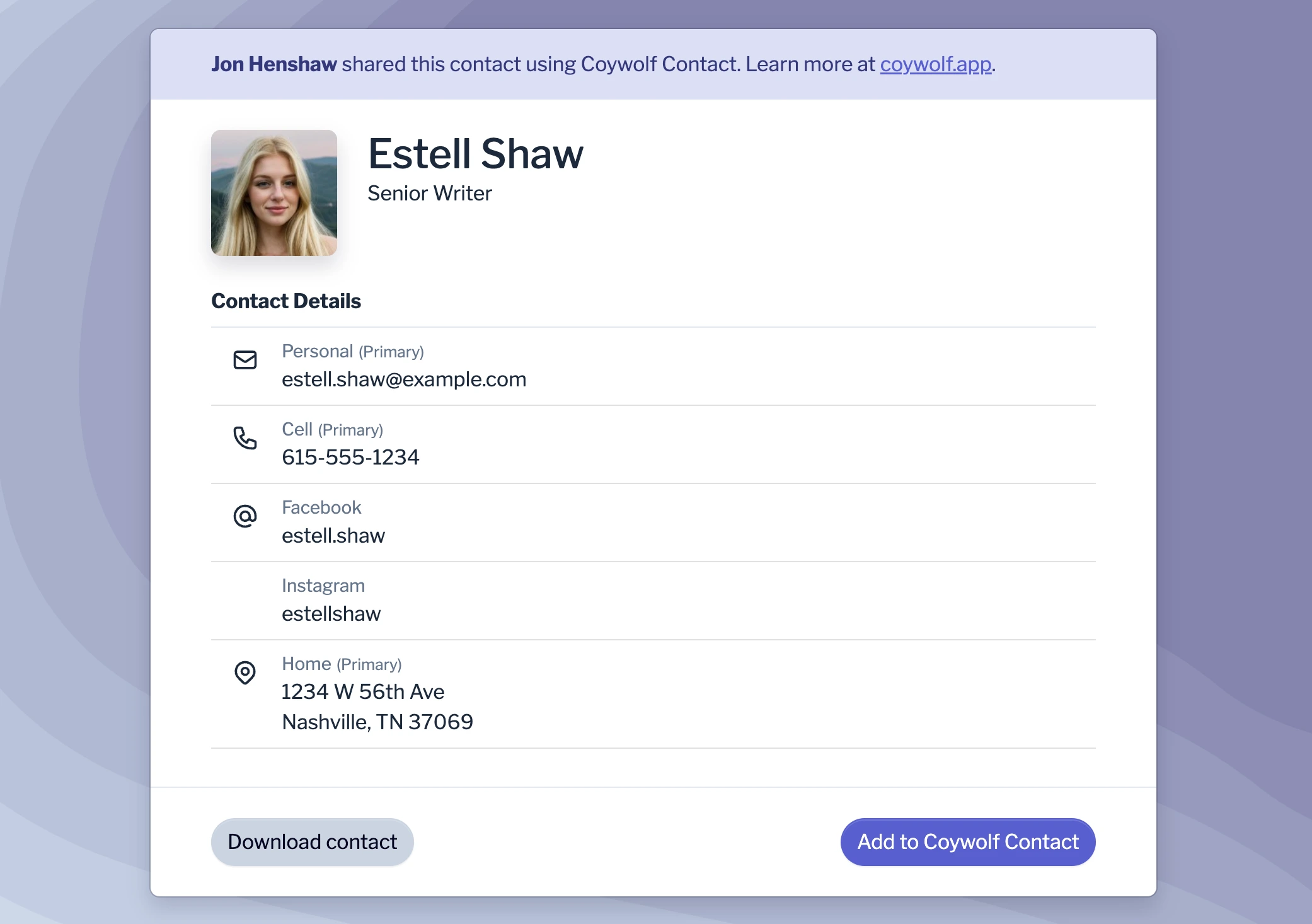
With the sharing feature, Coywolf Contact makes it easy to share contact records with other people. Recipients can download the contact record in vCard format or add it to their Coywolf Contact account.
Here’s how to share a contact record
- View contact
Find and view the contact record you want to share.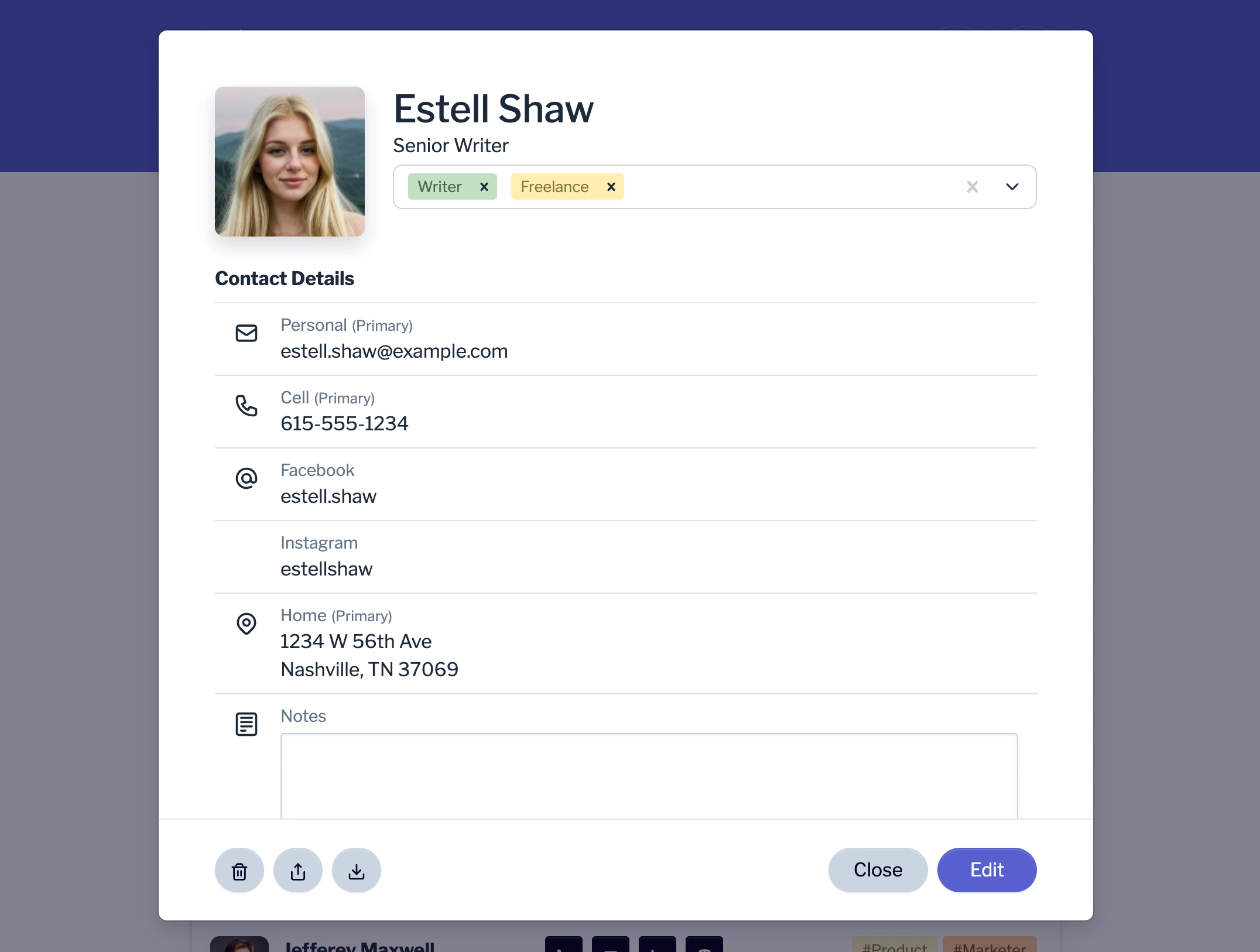
- Click on Share button
On the bottom-left of the contact record, click on the Share button.
- Click on Create link button
After you set the link expiration, click on the Create link button.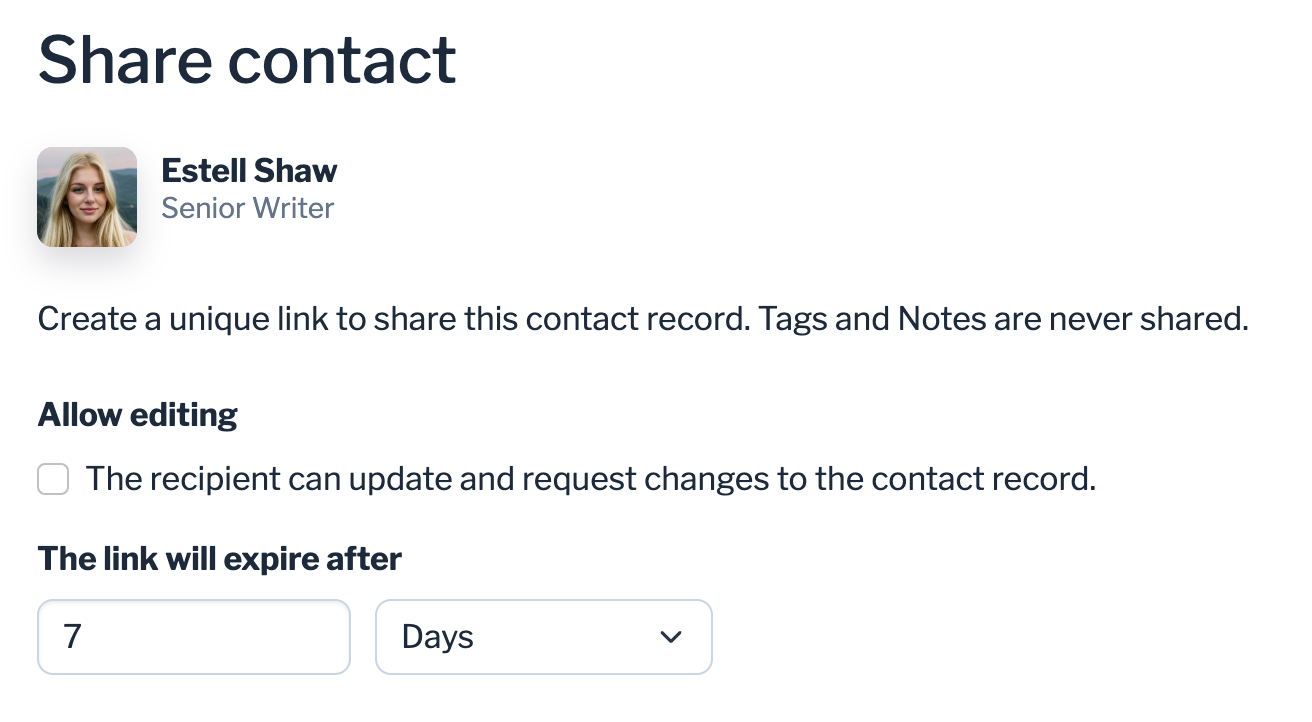
- Share the link
Copy and share the link the link via email, text, or other messaging app.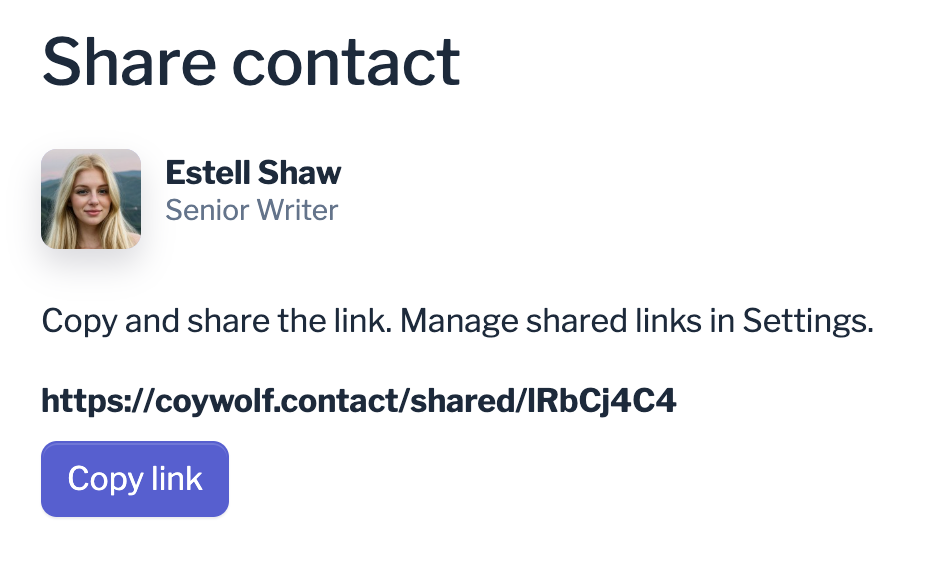
When the recipient visits the link, they can download the contact record in vCard format or add it to their Coywolf Contact account.
Learn how to share and request contacts to update their details.
Source: https://support.contact.garden/sharing/how-to-share-contact-records/